Medicine Expiry Tracker · Free Web & Android App
Track medicine expiry dates and refill reminders in one place
A dedicated medicine cabinet, completely separate from your food. Track expiry dates for prescriptions, OTC medications, and supplements, set refill and daily dose reminders, and keep it organized by patient for the whole household.
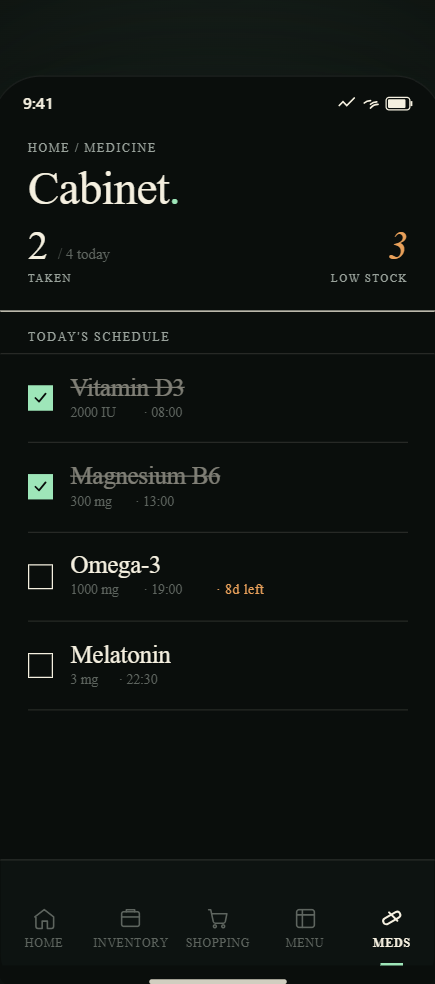
Medicine cabinet
A dedicated cabinet — not mixed in with your groceries
Medicines and food don't belong in the same list. Expireless keeps your medicine cabinet entirely separate: its own tab, its own sorting, its own alerts. You'll never scroll past chicken breast to find your Advil.
- Prescription drugs, OTC medications, vitamins, supplements
- Sorted by expiry date — most urgent first
- Color-coded: expiring this week, this month, still good
- Assign items to specific family members
- Medicine alerts sent separately from food alerts
Per-patient tracking
Track medications for everyone in your household
When you add a medicine, you can assign it to a specific person. Expireless groups the medicine cabinet by patient — so you can see your own medications, your child's medications, and your elderly parent's medications without them getting mixed together.
- Add any number of patients: yourself, partner, kids, parents
- Filter the cabinet view by patient in one tap
- Expiry alerts labeled by patient name: "Emma's ibuprofen expires in 5 days"
- Useful for families managing medications for children or elderly relatives
Medicine cabinet
YOU
EMMA (kid)
Daily dose reminder
Lisinopril 10mg
Every day at 8:00 AM
Expiry alert
Children's Tylenol
Expires in 3 days · Emma
Dose reminders and expiry alerts are independent — you can have either, both, or neither for each medicine.
Two types of reminders
Expiry alerts and daily dose reminders — separately configurable
Expireless supports two different reminder types for medicines. They work independently, so you can mix and match based on what each medication needs.
- Expiry alert: notification X days before the medicine expires — same system as food expiry alerts, but for your cabinet
- Dose reminder: daily notification at a specific time to take a medicine — for ongoing prescriptions or vitamins
- Each medicine can have both, one, or neither
- Set the timing independently for each medicine
Medicine expiry reminder FAQ
Is the medicine cabinet separate from my food inventory?
Yes, completely. Medicines live in their own dedicated tab — they never appear in your fridge, freezer, or pantry view. Switch between food inventory and medicine cabinet with one tap. Expiry alerts for medicines are also sent as separate notifications so you can tell them apart at a glance.
Can I track medicines for different family members separately?
Yes. When adding a medicine, assign it to a specific person. The cabinet view groups items by patient, so you can see all medications for each family member at once. Expiry notifications are labeled by patient: "Emma's Children's Tylenol expires in 3 days."
Can I set a daily reminder to take a medicine — not just an expiry alert?
Yes. For each medicine you can set a daily dose reminder at a specific time. For example: blood pressure medication at 8 AM and a vitamin at bedtime. Dose reminders are completely independent of expiry alerts — you can have both types, or just one, or neither.
Does Expireless store any medical information on a server?
Expireless stores medicine names, expiry dates, quantities, and reminder schedules on its servers to enable cross-device sync. It does not process medical records, prescriptions, or health data in any clinical sense. No diagnosis, dosage recommendations, or drug interaction checks are made. See the privacy policy for full details.
Know what’s in your medicine cabinet
Medicine cabinet available on Pro · $4.99/month · Free to download